

Appearance
Media
This guide describes the Theme settings > Media menu options.
Use the settings to specify how media items, like inset product image tiles, are displayed throughout your store.
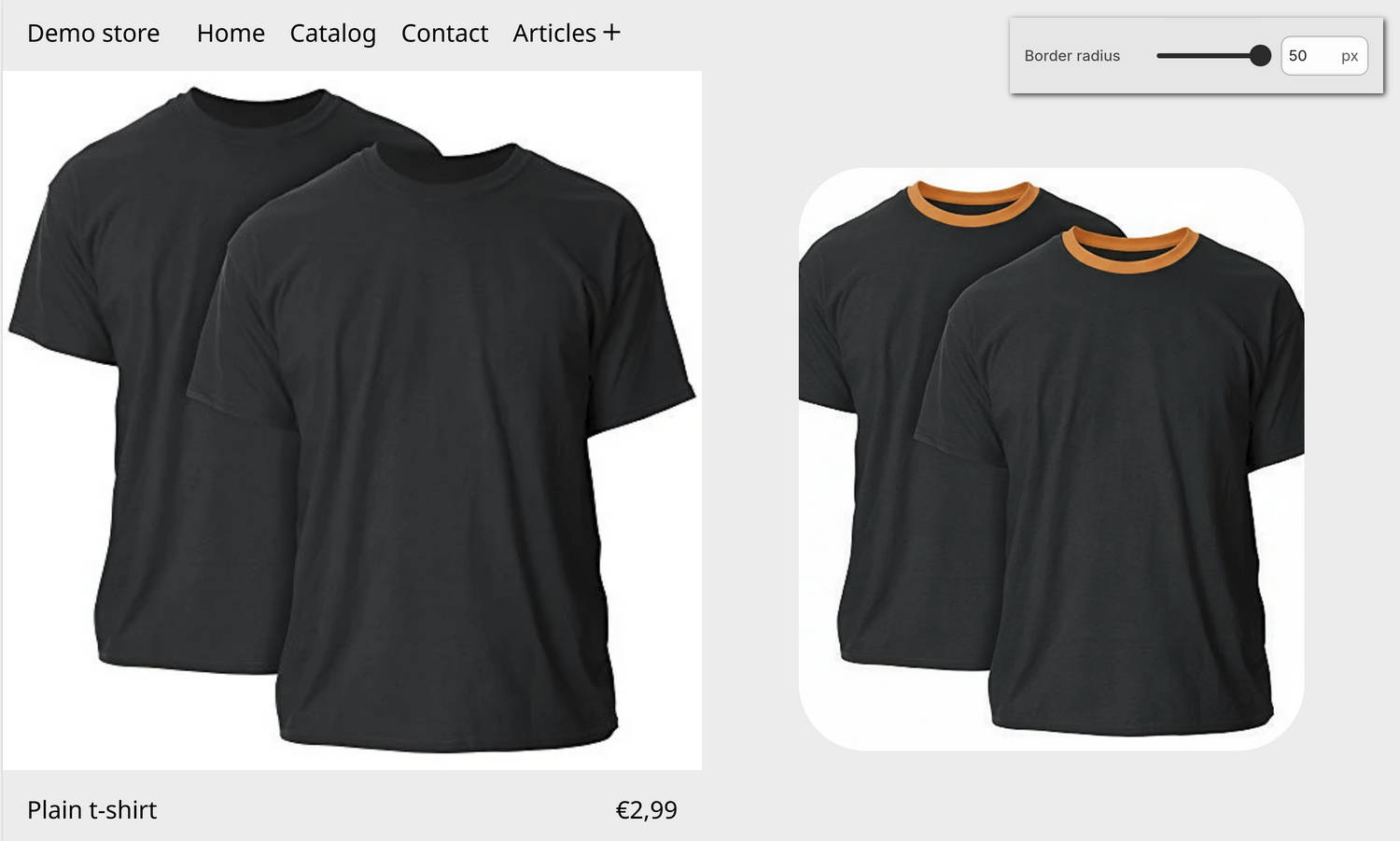
The previous image shows a store's home page. On the page, a Plain t-shirt product is displayed inside an Image with product grid section. On the right, a tile contains a product image (inset grid media item). Above the tile, part of Theme editor's Theme settings > Media menu is displayed. The menu's Border radius option is set to 50 px (pixels). This option specifies the size of the curve that's applied to the corner edges of the tile containing the image.
For general guidance with adjusting a theme setting, refer to Settings overview and Shopify help: Theme settings.
Set up media
To set up media:
In Theme editor, go to Theme settings > Media.
Select a setting described in the following table.
| Setting name | Description |
|---|---|
| Grid media style | Use the Grid media style setting to specify how media items are displayed inside the grid. The options are Fill and Inset. With the Fill option, media items fill the grid to the edge of the border. With the Inset option, empty space is applied between the media item edges and the grid borders. |
| Border radius | Adjust the Border radius slider to specify a size for the media border radius. This option sets the size of the curve that's applied to the corner edges of the borders displayed around grid media items that are set to "inset" and "deep inset". The minimum slider value is 0 px (pixels), and the maximum value is 50 px. |
| Show border on inset media | Use the Show border on inset media setting to show or hide a border around inset media items. This option applies only when Grid media style is set to Inset. |