

Appearance
Localization
This guide describes the Theme editor's Theme settings > Localization menu options.
Use the settings to control how your storefront's country/region name is displayed. Refer to Shopify help: Localization and translation.
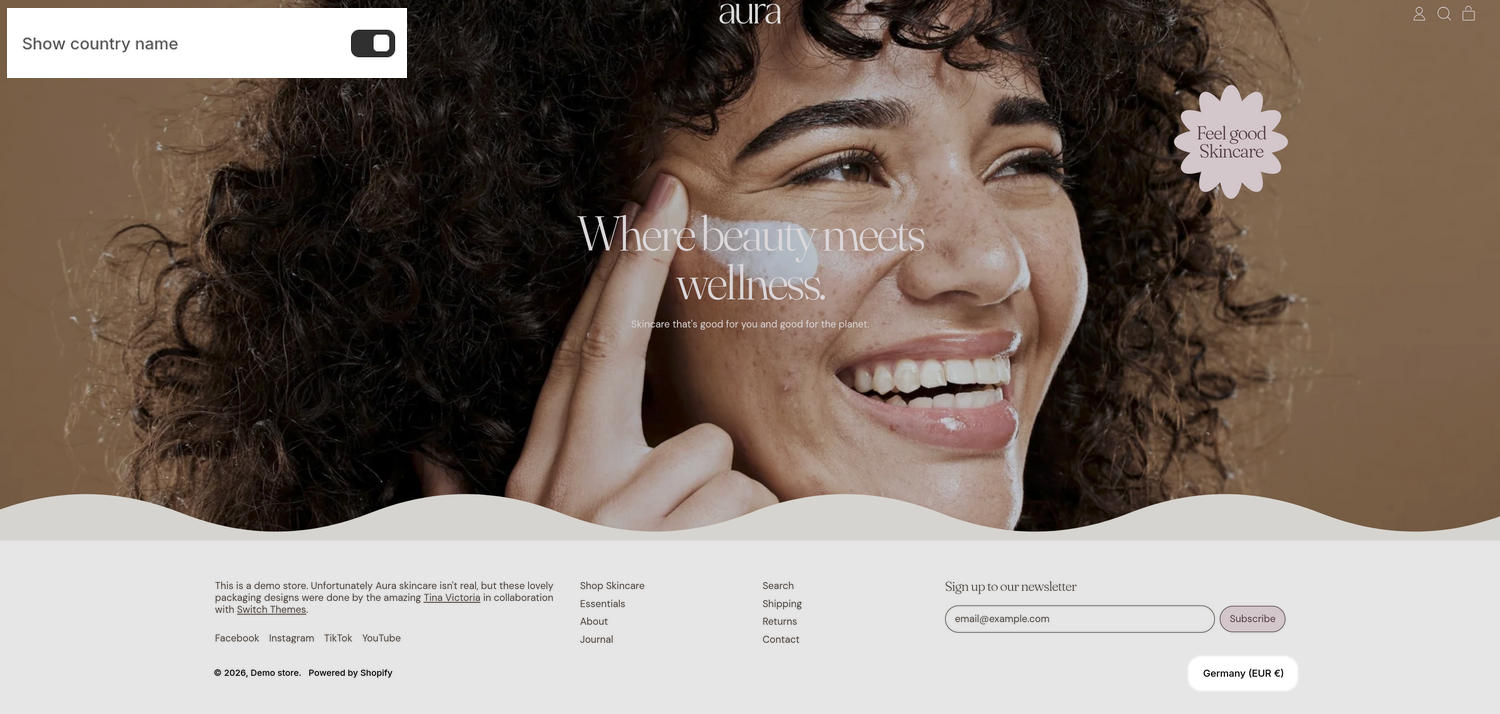
The previous image shows a store's home page. In the upper left, part of the Theme editor's Theme settings > Localization menu is displayed. The menu's Show country name option is enabled. In the lower right corner, Germany is displayed below the footer section to indicate the storefront's country/region name.
For general guidance with adjusting a theme setting, refer to Settings overview and Shopify help: Theme settings.
Set up localization
To set up localization:
In the Theme editor, go to Theme settings > Localization.
Select a setting described in the following table.
| Setting name | Description |
|---|---|
| Show country name | Use the Show country name option to show or hide a country/region name on your storefront. The name is displayed below the footer section and is disabled by default. |
Note
To connect a metafield to a setting that supports metafields, select the Connect dynamic source icon displayed beside the setting in the Theme editor.
To learn how to connect a metafield to a supported setting, refer to Shopify help: Connecting metafields to your theme by using the Theme editor.